 TraLand.com

SQLiteEasy
Big SQLite files, honestly.
SQLiteEasy opens a 4 GB SQLite database and shows you rows in milliseconds — because it streams the result instead of loading it. Memory stays flat whether you scroll ten rows or ten million. That one decision is why the rest of the app can be honest with you.
Measured, not estimated. Memory holds at ~280 MB for the first million rows and adds ~8 MB for the second — because nothing is materialised that you haven't scrolled to.
It tells you what it actually knows
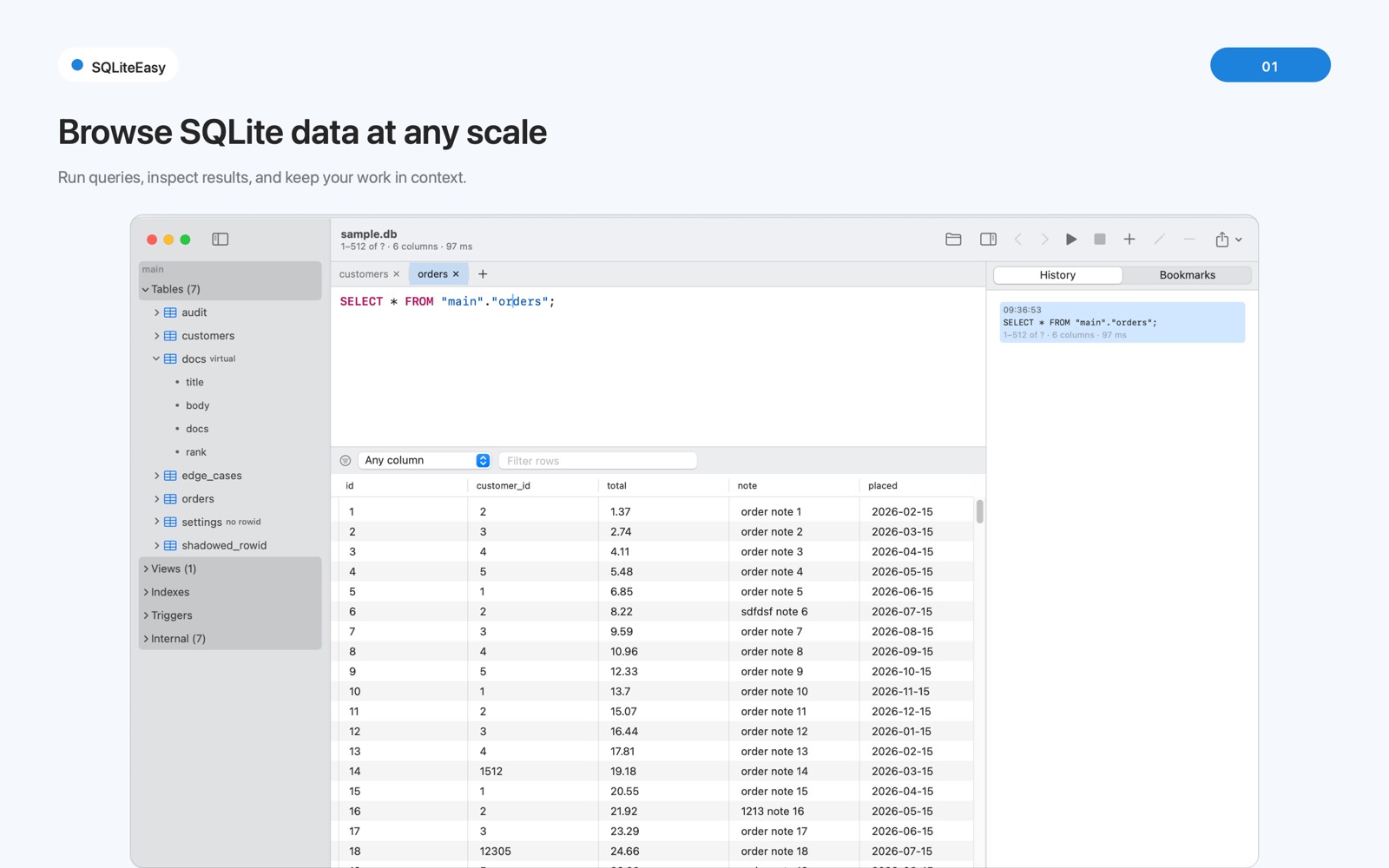
A result reads 1–512 of ? because SQLite genuinely cannot know the total without
running the query to the end. Other clients pick a number. SQLiteEasy shows what it has read,
keeps reading as you scroll, and will count the rest on request — separately, and labelled as such.
Schema sidebar, SQL editor, streaming grid and per-tab history, all in one window.
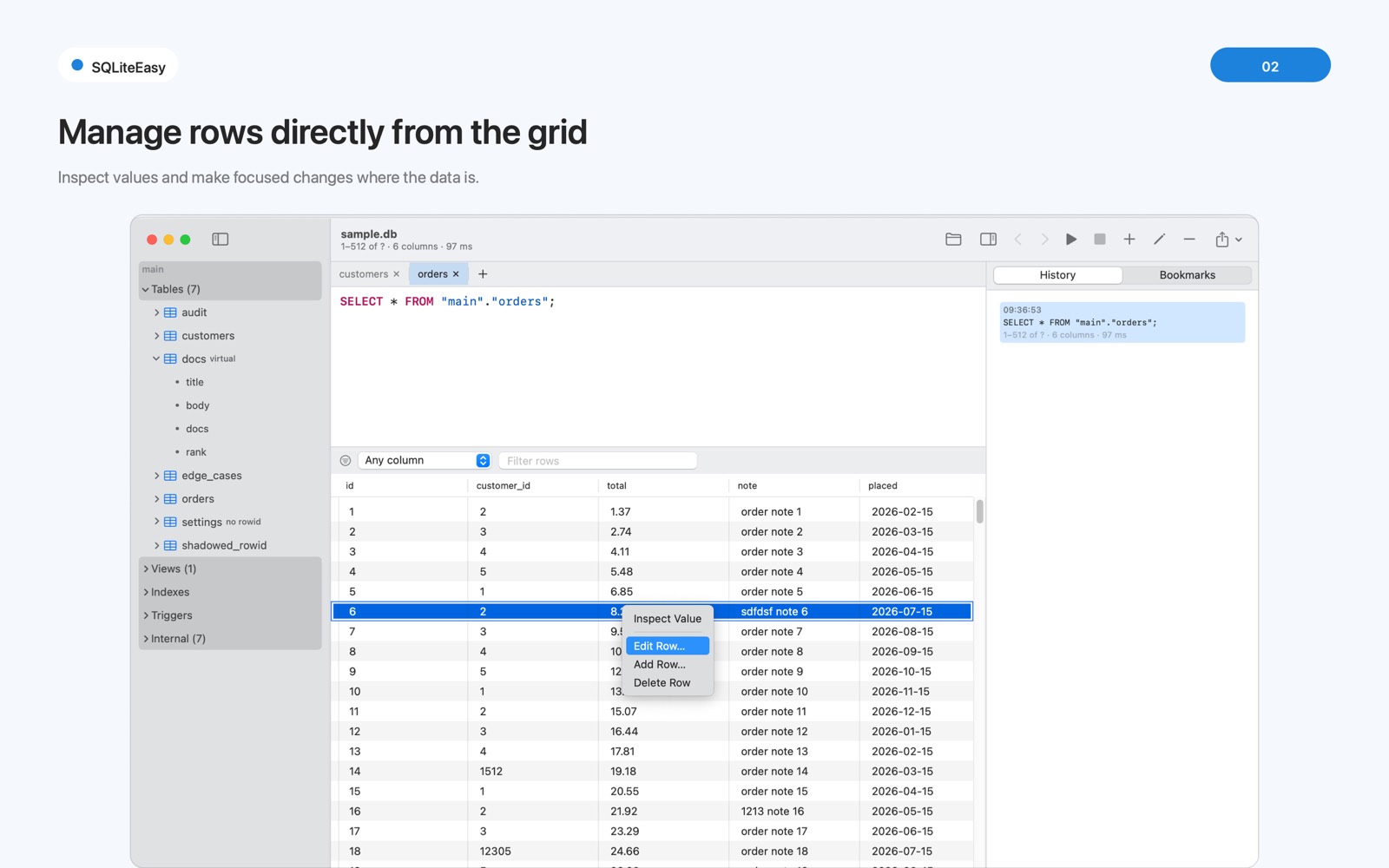
Manage rows right where the data is
Inspect a value, edit a row, add or delete — from the grid, in context. Every cell is drawn from
what it actually holds, not the column's declared type, because SQLite is dynamically typed
and a column declared INTEGER can hold a string in row three.
NULL, an empty string and a zero-length blob are three different values here — and they look different.
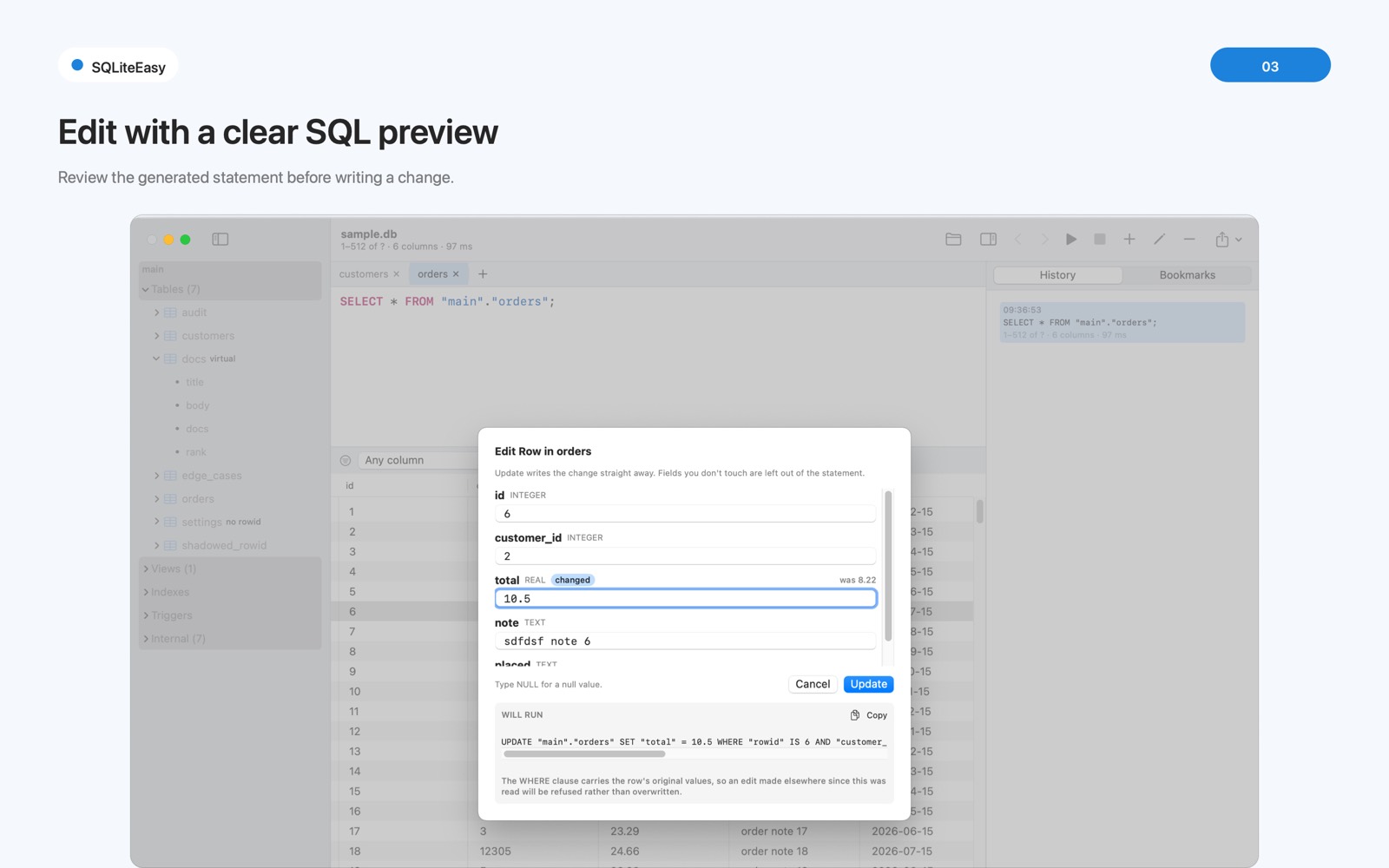
See the exact statement before it runs
Edit a row and the change reaches nothing until you press Apply. The dialog shows the precise SQL it will run — and lets you copy it.
Every update carries the row's original values in its WHERE clause. If someone changed
that row after you read it, the write is refused and explained rather than silently replacing their work.
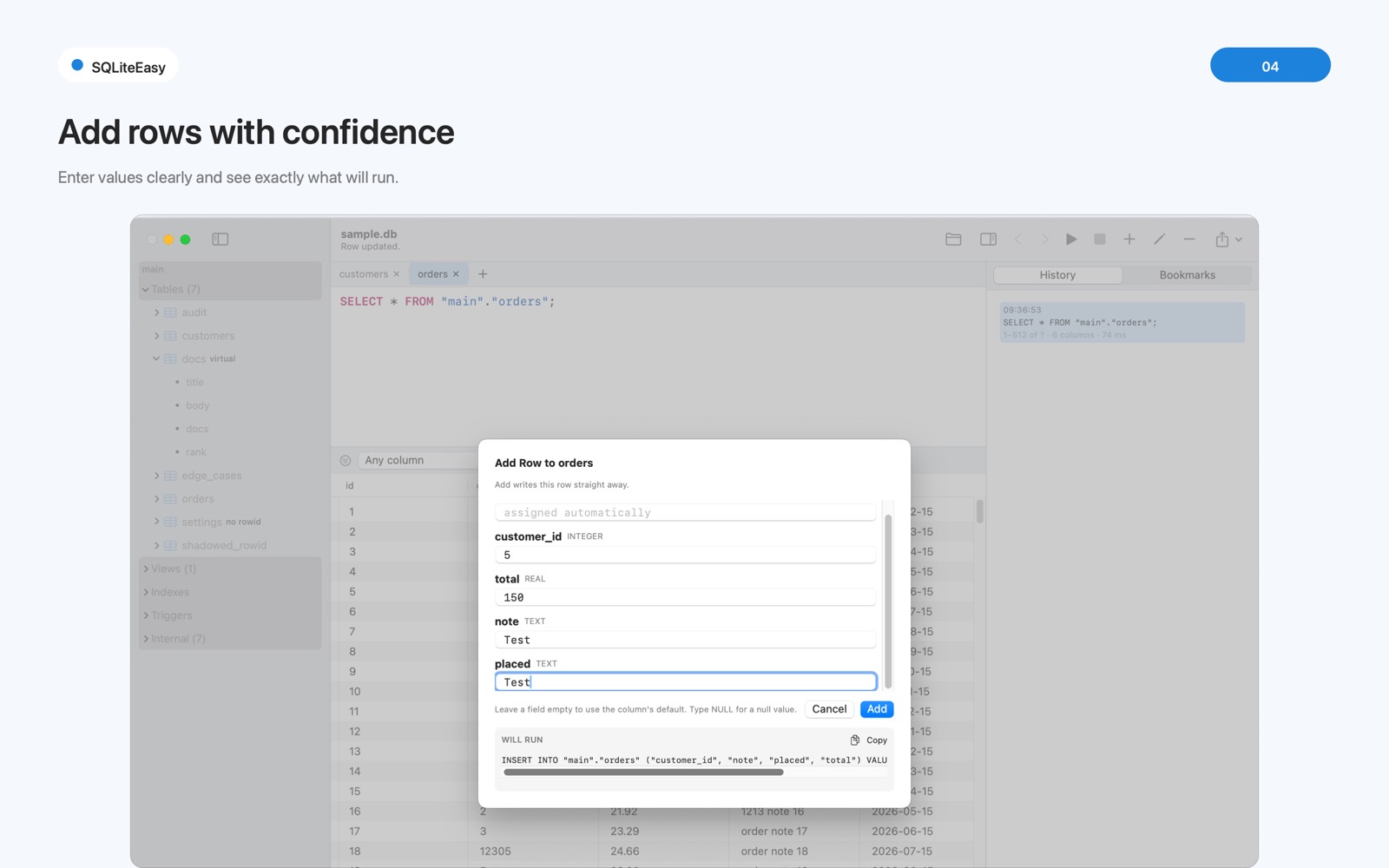
Each column's type, default and constraint — up front
Add Row gives you a form built from the schema: every column with its type and default, an
assigned automatically hint on the primary key, and the exact INSERT
it will run shown as you type.
Leave a field empty to use the column's default. Type NULL for a null. No guessing, no surprises.
The details a database tool has no excuse to get wrong
Small decisions, made the honest way — because on your data, the honest way is the only one that counts.
Query history as navigation
Back and forward through the queries you've run, like a browser. Navigate onto a DELETE and it's restored into the editor, not re-executed.
Lossless invalid UTF-8
Text that isn't valid UTF-8 is marked, never quietly repaired. The stored bytes are untouched, and saving writes the originals back.
Big values stay out of the grid
Values over 1 MB are never loaded into the grid — that's what keeps memory bounded. The inspector fetches them on demand and saves any size to a file.
A backup before the first write
One click, before the first statement of any session that changes something. Your safety net is made before you need it.
Defensive mode, always on
Every connection blocks the ways arbitrary SQL can corrupt a file rather than merely return a wrong answer.
It won't "repair" your database
Check Database reports what SQLite finds and explains the options — but every automatic repair discards what it couldn't read. That decision stays yours.
No network. At all.
SQLiteEasy makes no network connections of any kind — not for updates, not for analytics, not for anything. No accounts, no third-party SDKs. The databases you open never leave your Mac, and the diagnostics report you can export carries no database contents, no query text and no file paths.