 TraLand.com
SimShelf
See what your iOS app actually saved.
SimShelf opens the container Simulator hides two UUIDs deep and shows you what your app
wrote — databases, preferences, caches, App-Group files — in one window. No Terminal, no
simctl, no hunting for a container path. It's the local-data debugger for the question
“what did this app actually save?”
The hardest iOS bugs are state, not code
An auth token that survives logout. A cached response hiding a fix you already shipped. Answering “what did this app actually save?” usually means five tools and a container hunt. SimShelf puts it in one place.
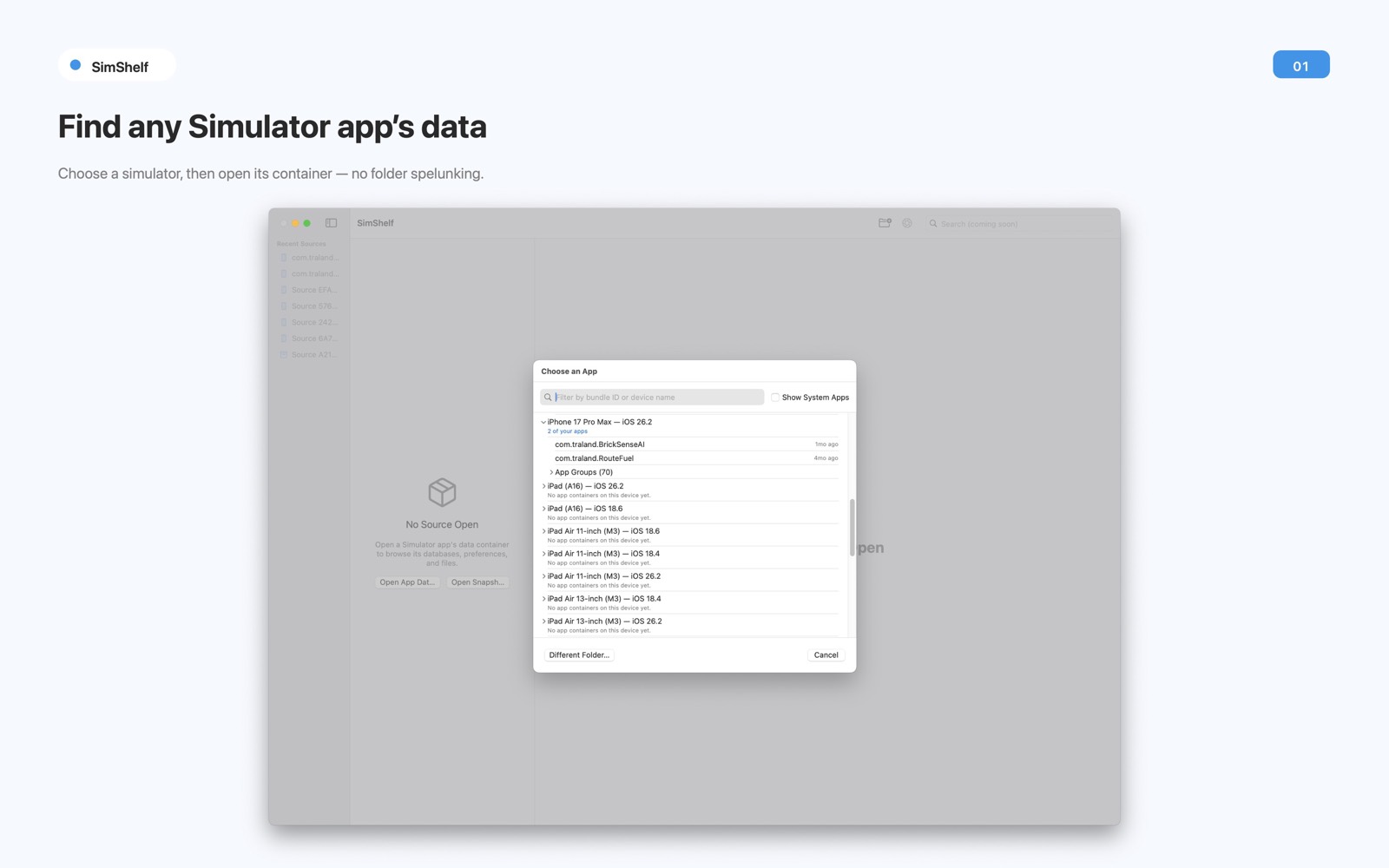
Find any Simulator app's data
Point SimShelf at a Simulator device once and it shows a Device → App picker built from
what's already on disk — no simctl, no private API, no scanning outside what you select.
Open an app's data container plus the App Groups it shares, an App Group on its own, an
.xcappdata package from Xcode, or a .simshelf snapshot.
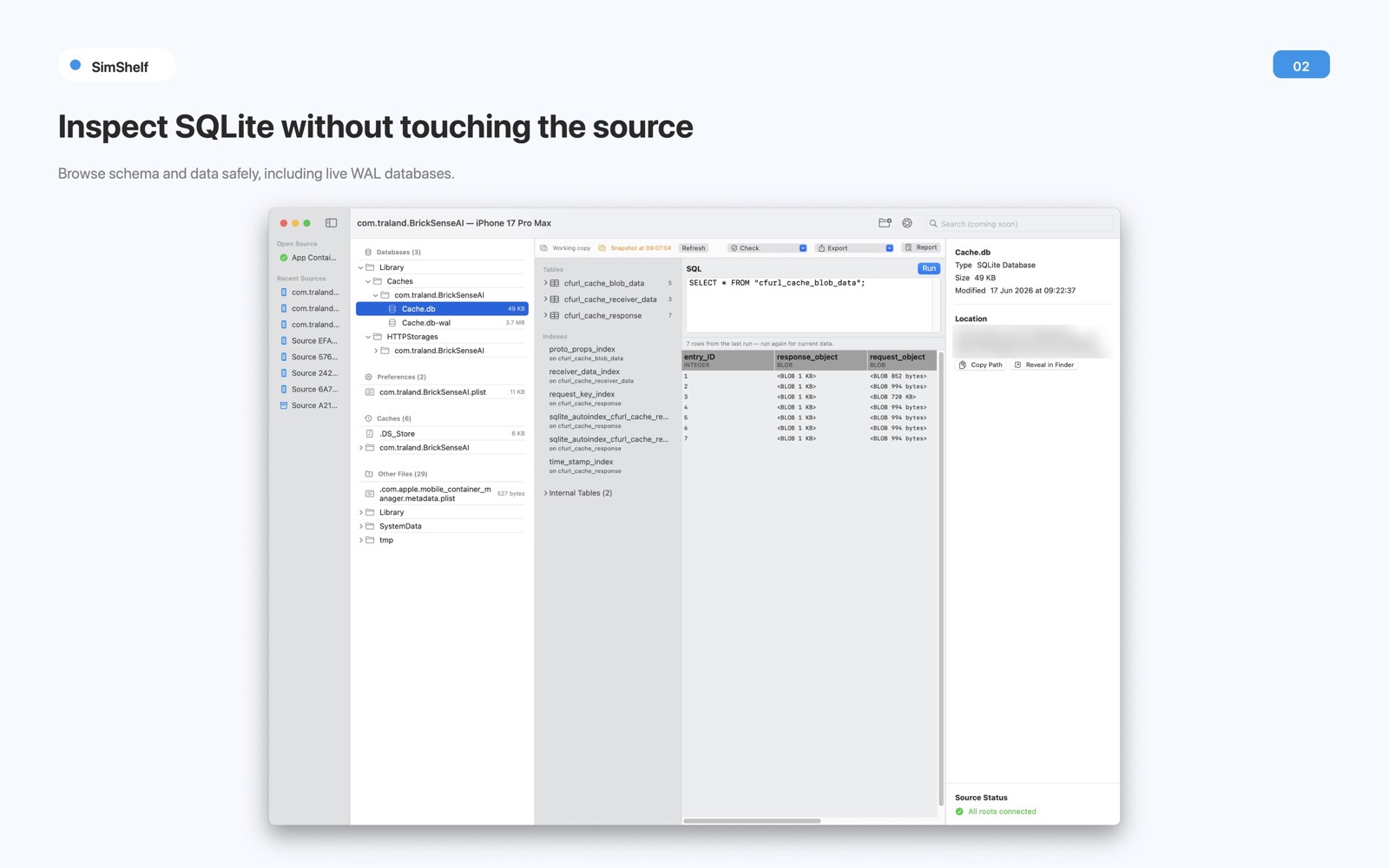
Inspect SQLite without touching the source
Open any database Simulator wrote — including one mid-write, with a live -wal file —
and get a schema browser, a SQL editor, and a result grid that pages instead of loading the whole table.
Every value shows what it actually is: NULL, an empty string and a zero-length blob look
different, and BLOBs get a hex view. A cancellable integrity check handles multi-gigabyte files. Export to CSV, JSON, or SQL.
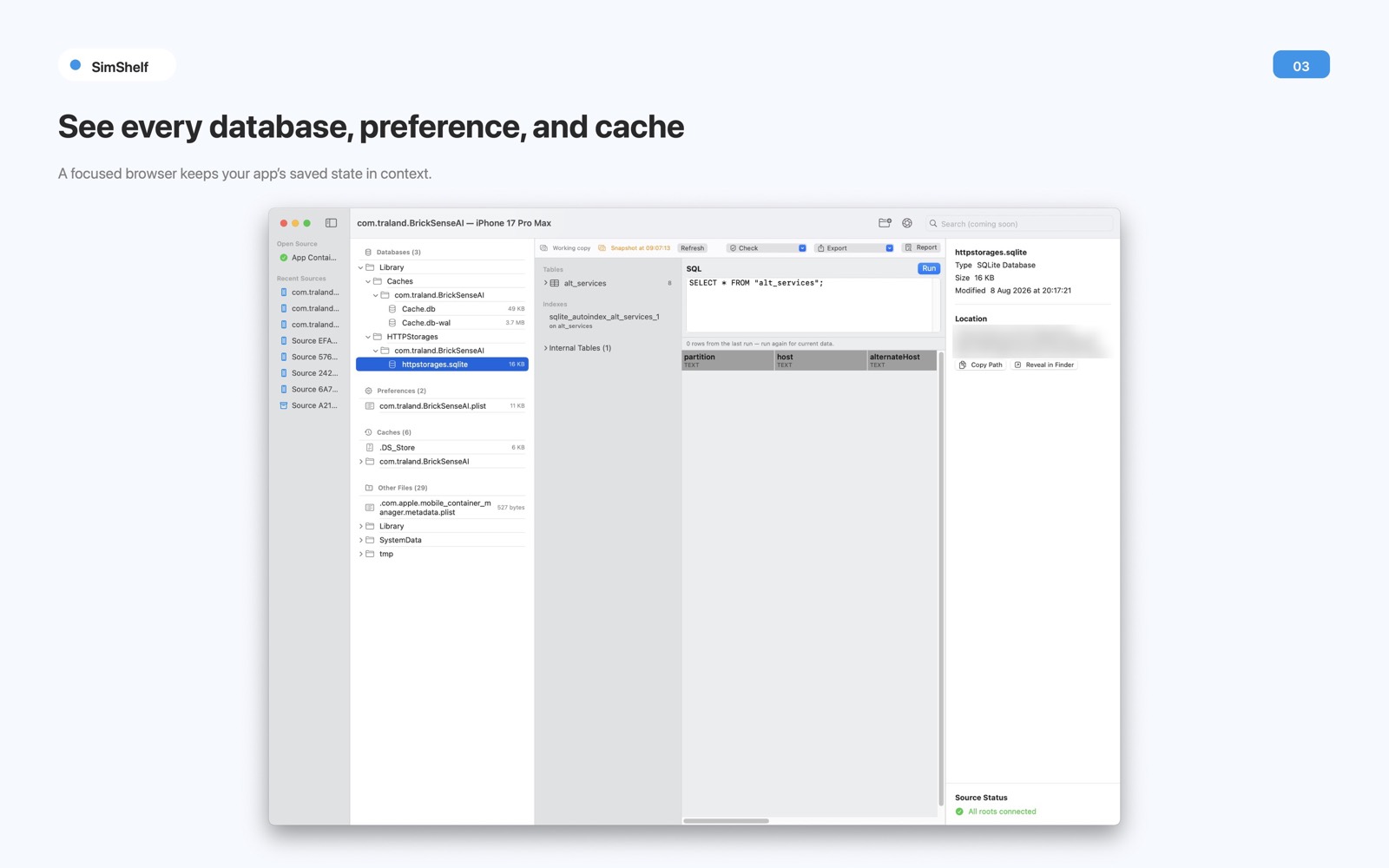
See every database, preference, and cache
Files are grouped by what they actually are, not where they sit — a .sqlite in
Caches still shows up under Databases, because that's what you're hunting when a cache goes stale.
Search reaches filenames, paths, decoded plists and JSON, and plain text — and when something can't be searched, SimShelf says so, so an empty result is never mistaken for “nothing's there.”
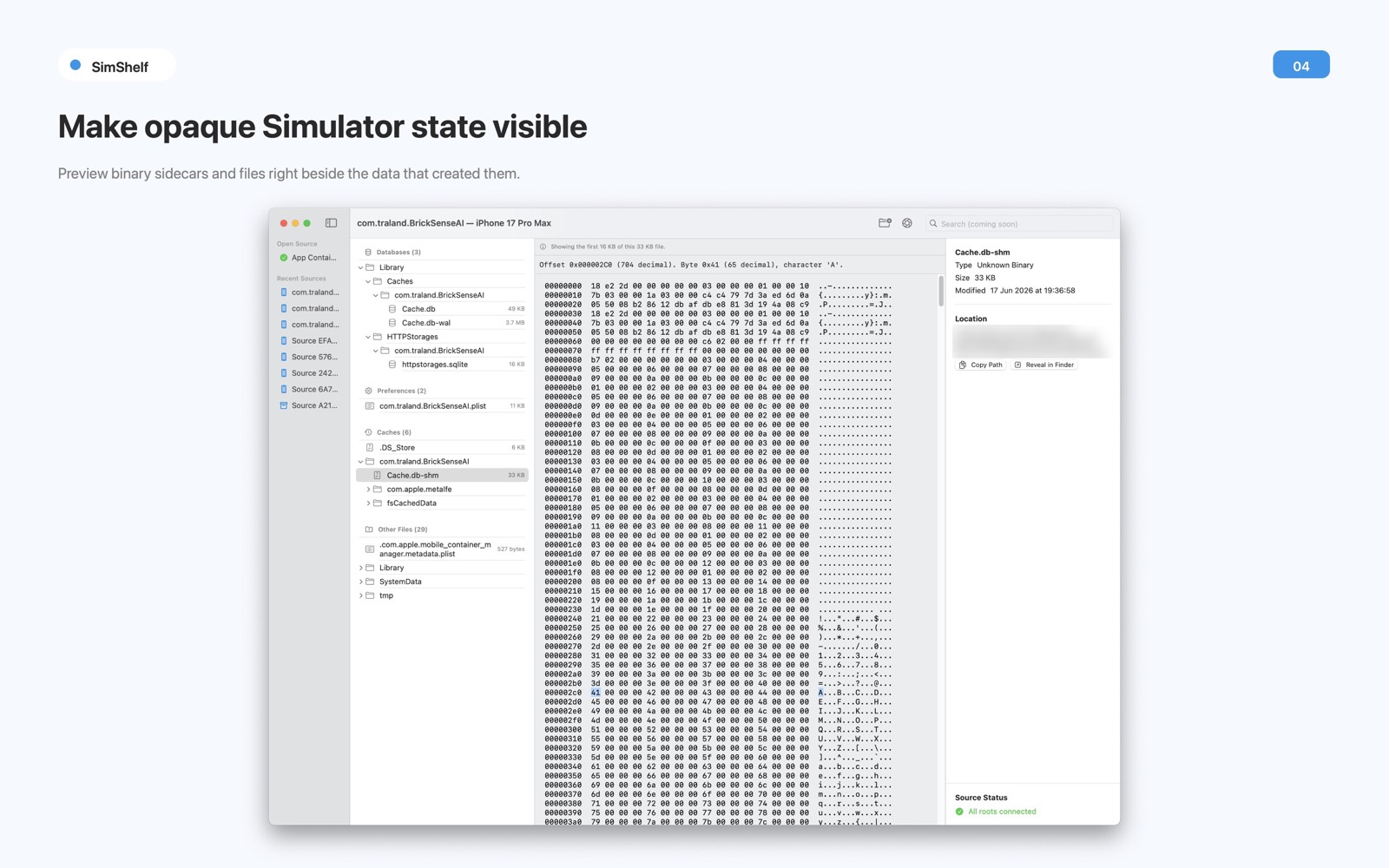
Make opaque Simulator state visible
Binary and XML plists, JSON, and text files get a real tree view — search, copy key path, inspect values. Binary sidecars open in a byte-accurate hex view right beside the data that created them.
NSKeyedArchiver blobs — common in UserDefaults and Core Data metadata — decode byte-by-byte into a browsable graph, without unarchiving your app's own classes.
A debugging tool should never be what corrupts your test data
SimShelf 1.0 is read-only on purpose, honest about what it can't do, and built on Apple's SDK alone.
Read-only, on purpose
Version 1.0 never writes to anything you inspect — not a source file, not a timestamp, not a byte. Databases open with SQLite's own read-only guarantees or from a private copy.
Opens live databases safely
SimShelf reads the file header first and picks the correct, non-destructive path — opening a database Simulator is mid-write on can't corrupt it.
Shareable .simshelf snapshots
Export a single ZIP that survives a Jira ticket or Slack message, with a manifest of SHA-256 hashes so a teammate can trust it's exactly what was captured.
Honest about secrets
Before export it plainly reminds you a snapshot may contain tokens or customer data. It isn't scanning for secrets and never claims to — it's a reminder, not a promise.
Honest about scope
1.0 inspects one source at a time (comparison is coming). No delete or reset — nothing gets cleared. It doesn't touch physical devices or call simctl.
Apple's SDK only
Built on Swift, SQLite and zlib straight from Apple's SDK. No third-party dependencies. Universal — Apple Silicon and Intel.
No network. Nothing leaves your Mac.
SimShelf links no networking library and makes no network connections — nothing to opt out of, because nothing is ever sent. The databases and files you inspect stay on your Mac, and the local activity log is for your own history, never transmitted. No accounts, no analytics, no third-party SDKs.